Upgrade Your Workspace with JLab’s Premium Tech Accessories
JLab has been around for what seems like forever in mobile tech accessories, constantly evolving to meet the demands of an ever-changing market. The company has been making consumer-facing audio and peripherals for years, building a reputation for quality and innovation.
You may not be aware, but JLab also has a more professionally-focused portfolio under the Work lineup, specifically designed to enhance productivity and comfort in various work environments. With a range of versatile products, you, or your team, can easily level up your desk space with these offerings, turning any workspace into a hub of creativity and efficiency.
From clacky keys to crisp calls, JLab’s Work lineup proves you don’t have to overspend to upgrade your desk with gear that’s actually built for work
In this article, I’ll showcase three standout devices that exemplify JLab’s commitment to delivering functional and stylish solutions tailored to meet the needs of professionals.
JLab Flow Wireless Mouse and Ergonomic Keyboard Combo
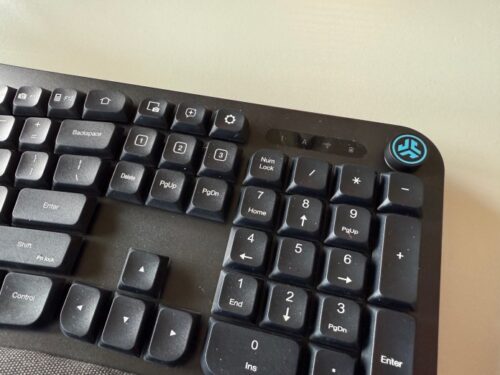
At the heart of any professional workspace has to be the keyboard and mouse. The Flow combination is a nice mix of ergonomic design and modern features. The Flow keyboard has the most going on with a mechanical key layout with short travel between keys and integrated cushioned palm pad to limit fatigue. The keys are the more deep “clacky” styles you remember from middle school, but make for a very tactile feedback.
In the Level Up series, we delve into interesting and noteworthy products that might change the way you approach life, work, and leisure. Whether you’re aiming to revolutionize your smart home setup, enhance your outdoor escapades, or simply acquaint yourself with the latest in tech-savvy companions, consider these posts a great starting point.
These curated collections of gadgets are set to add a touch of brilliance to your daily routines. Wave goodbye to the usual and embrace the exceptional – it’s time to level up and experience life in a whole new way.
That doesn’t mean the overall setup for the Flow combo is stuck in the past. You have a modern edge when it comes to custom AI key and the media knob. The Flow keyboard and mouse are designed to be used with multiple operating system. You can switch from up to three devices with a quick press of a button.
I also really enjoyed the integrated media knob for controlling music and videos. A turn of the knob lowers or increases the volume, while a press of the knob pauses or resumes playback. Other keyboards offer functionality like this with keys, but they are normally hidden behind a Function combination. Having a dedicated hardware option has been a nice touch from JLab on the Flow keyboard.
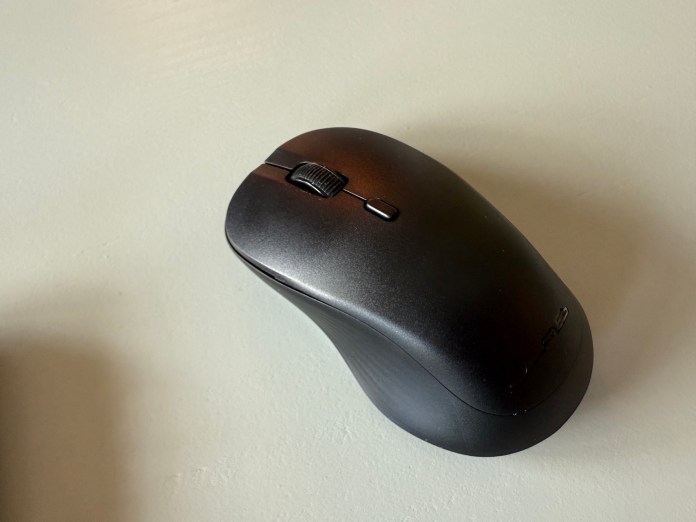
The Flow mouse is more simplistic, but offers an ergonomic design of its own. It has the same OS switching buttons on the bottom, and has a familiar layout of buttons you’d expect on a wireless mouse. One addition button I’ve enjoyed over my older Dell has been the pointer speed button just below the scroll wheel. It’s a small tweak, but nice to have, as some operating systems have slower defaults than others.
This new JLab Flow keyboard and mouse bundle won’t break the bank, either. At just $60, you’d be hard to find a better bargain.
JLab Work Buds In-Ear Headset
After text inputs with a keyboard and mouse, I can’t think of a more crucial option in today’s work environment than audio and microphone inputs. JLab has released the Work Bud In-Ear Headset to make sure your next online conference call is a success. This combination of wireless earbuds and dedicated mic boom, take these conversations to the next level versus your laptop’s internal options.
The Work Buds overall design is the “bullet” style in-ear headsets you see from many OEMs these days. This alone would make for a competitive communication device, but JLab has taken it one step further to make sure you are always heard. Included in the system is a removable microphone boom that can be attached to either earbud.
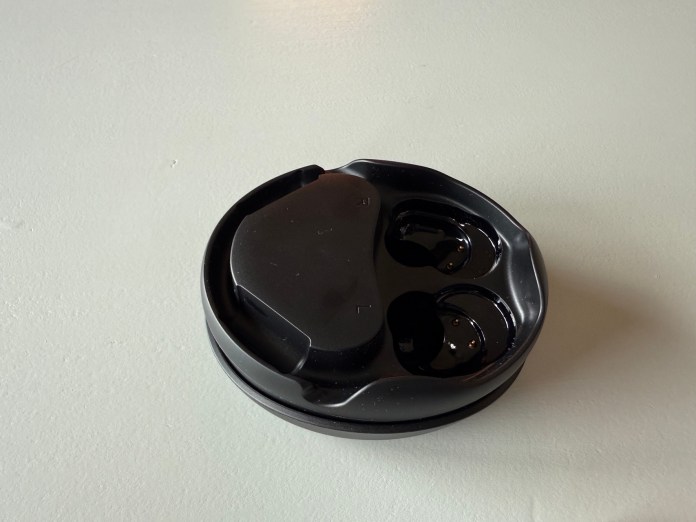
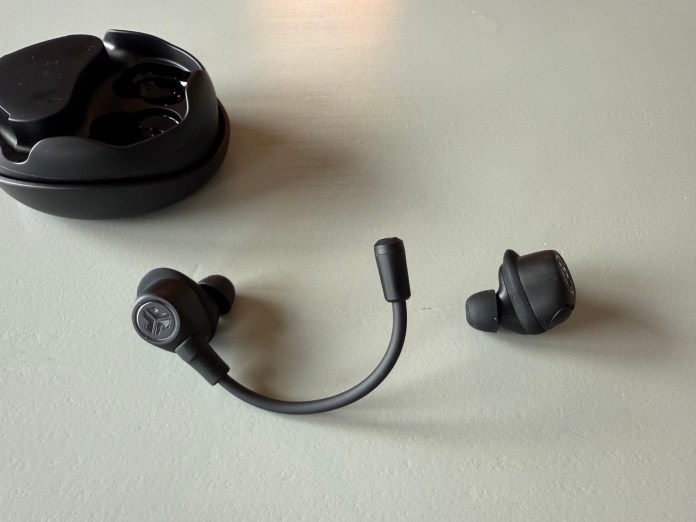
The JLab Work Buds offering this additional input method makes calls crisp and clear. Having the boom be modular in design to be used on either the right or left earbuds is a great option as well. While I don’t personally have a preference, I can see others being frustrated if this was dedicated to a single earbud.
The Work Buds have exceptional runtimes for just $80 (Amazon) as well. With six total hours per charge, and up to 55 hours of total playback from the charging case, you have a fantastic remote work audio solution. When you do need to charge the case and Work Buds, all you need is the included USB-C adapter and wall adapter.
JLab Go Talk USB Microphone
Sometimes you need even more clarity in audio input than even the Work Buds can offer. To make sure JLab still has you covered, the company has the JLab Go Talk USB Microphone. Whether you just want better call quality or you need a serious option for recording your latest podcast, this mic can help you out.
The JLab Go Talk is wrapped in a stylish canvas shell and fits into any desk space aesthetics. This mounts onto a sturdy, metal stand that allows for several angles. The Go Talk is a plug-in-play device as well. No software needed to get any of the major operating systems to recognize it as an input device.
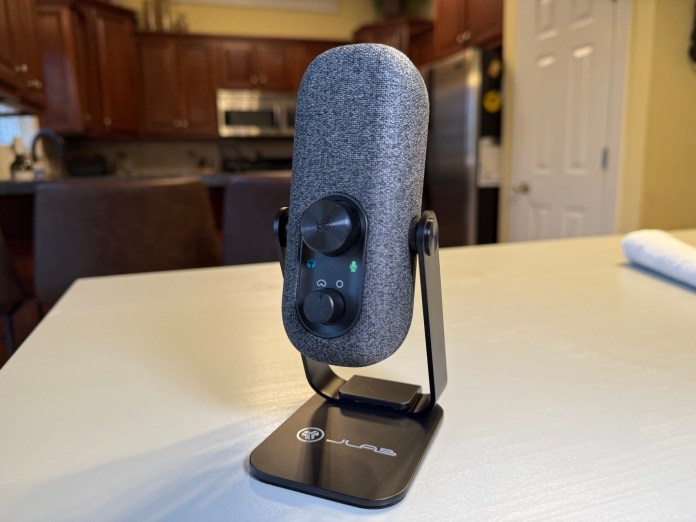
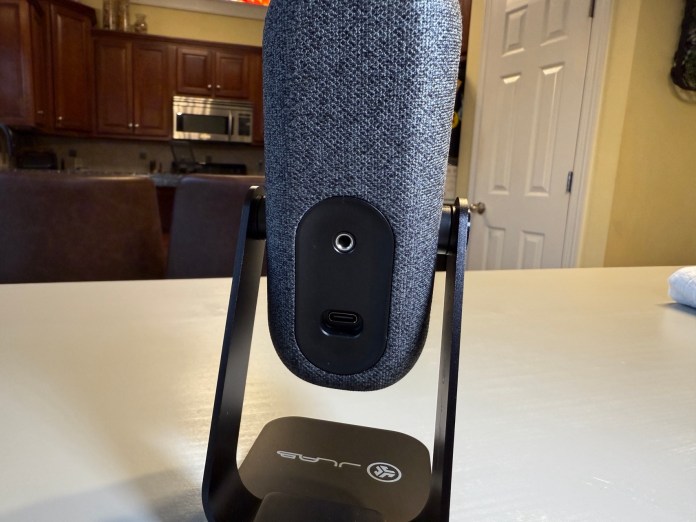
It also comes with a welcome amount of actual knobs and button. No need to fumble with capacitive touchpoints or software controls dashboards to tweak this microphone to your liking. This includes a volume and gain control knob that can be pressed to mute the microphone completely. Just below this is a second knob that switches between a directional recording mode called Cardioid or a more full spectrum mode called Omni.
With full 24-bit depth and 96Khz sample rate, the JLab Go Talk USB microphone is a fantastic option for fifty bucks.
Related
Source